Recognition Agent in Microsoft Teams – FAQ & Setup Guide
What does the Recognition Agent do in Teams?
The Recognition Agent posts real-time updates, highlights, and achievement celebrations directly into your Microsoft Teams channels, so your team never misses a moment.
How do I add the Recognition Agent to Teams?
Follow these steps:
- Ensure the Spinify App is installed
- Install the Spinify app in Microsoft Teams
- Open your Teams Channel
- Go to the channel where you want updates posted
- Access Spinify Settings
- In any message box, type:
@Spinify Settings
- In any message box, type:
- Open Settings
- Click to open the Settings menu when prompted
- Select your Recognition Agent
- Choose the Recognition Agent you want to connect
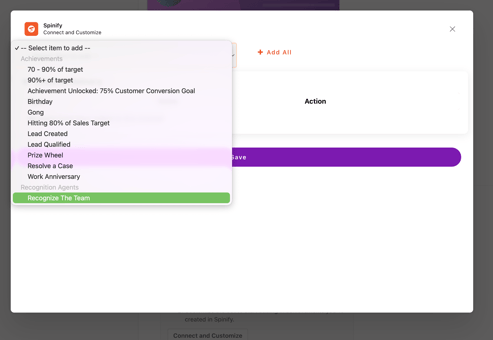
- Choose the Recognition Agent you want to connect
- Save your selection
- Confirm and save
What happens after setup?
Your Recognition Agent will now automatically post:
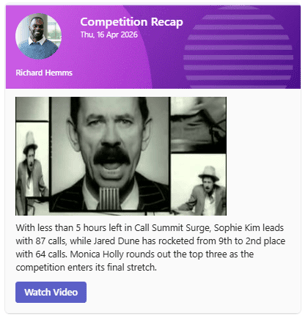
- Competition updates
- Competition Motivation
- Achievement celebrations
Directly into your selected Teams channel.
Troubleshooting
Not seeing the option to add an Agent?
- Ensure the Spinify app is installed
- Check that you’re using the correct command: @Spinify Settings
Not receiving updates?
- Confirm the correct Recognition Agent is selected
- Check channel permissions