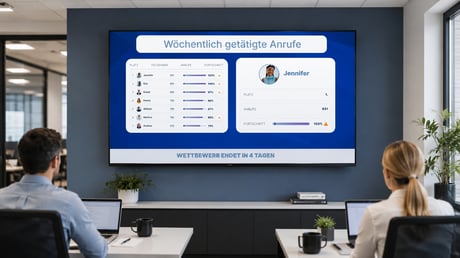
Spinify allows you to set a display language for each individual channel, making it easy to create a localized experience for teams around the world.
This setting changes the interface text displayed throughout the channel, helping employees engage with competitions, leaderboards, recognition, and performance updates in their preferred language.
Why use Channel Display Languages?
If your organisation has teams across multiple countries or regions, you can:
- Display different channels in different languages.
- Create a more inclusive experience for every team.
- Keep a consistent performance culture across your entire organisation using a single Spinify account.
- Have AI Recognition Agent messages automatically generated in the same language as the channel.
For example, your Australian office can use English while your French office uses French, all within the same Spinify instance.
How to Change a Channel's Display Language
- Navigate to Channels.
- Do one of the following:
- Click Edit on an existing channel.
- Select Create New to create a new channel.
- Locate the Channel Display Language setting.
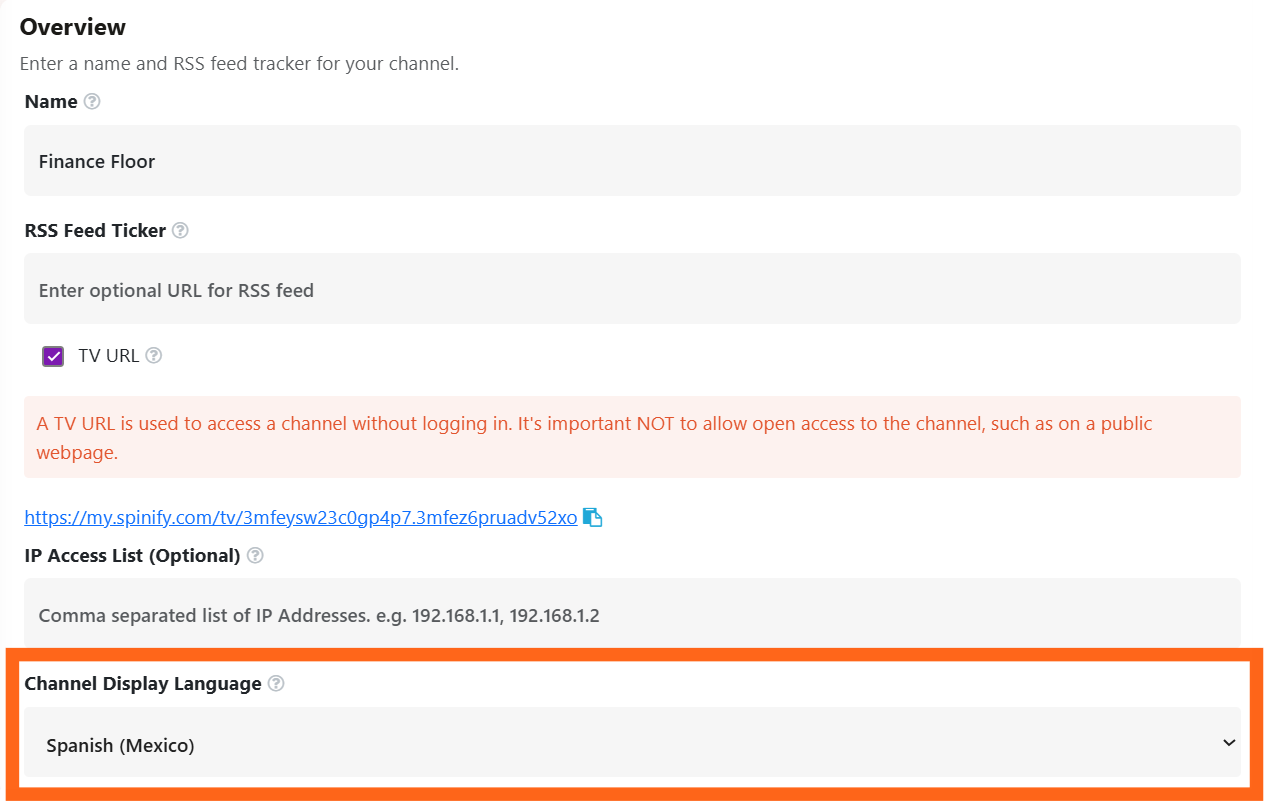
- Select your preferred language from the dropdown list.
- Click Save Channel (or Create Channel if you're creating a new channel).
Your channel will immediately display in the selected language.
Recognition Agent
If you're using the Recognition Agent, any AI-generated recognition, celebration, and motivational messages posted to the channel will automatically be generated in the channel's selected language.
This allows every team to receive recognition in a language that's natural and familiar to them, without requiring any additional configuration.
Frequently Asked Questions
Does changing the language affect other channels?
No. Each channel has its own display language setting, allowing different offices or teams to use different languages.
Does this translate my CRM data or competition names?
No. The Channel Display Language changes the Spinify TV Channel and AI-generated Recognition Agent messages assigned to that channel. User-created content, such as competition names, goals, or CRM data, will remain in the language they were originally entered.
Can I change the language at any time?
Yes. You can update a channel's display language whenever required by editing the channel settings and saving your changes.